What should my app do to access the UIDevice.name property?
Asked on 2024-07-30
1 search

To access the UIDevice.name property in your app, you need to ensure that you have the appropriate permissions and follow best practices for accessing device information. While the provided context does not directly mention UIDevice.name, it does emphasize the importance of handling permissions and user data responsibly.
Here are some general steps you might follow:
-
Check Permissions: Ensure that your app has the necessary permissions to access device information. This might involve declaring specific entitlements or usage descriptions in your app's
Info.plist. -
Use Appropriate APIs: Access the
UIDevice.nameproperty using the appropriate Foundation API. For example:let deviceName = UIDevice.current.name -
Provide Clear Usage Descriptions: If accessing device information requires user permission, provide a clear and descriptive usage string in your
Info.plist. This helps build trust with users by explaining why your app needs this information. -
Handle Data Responsibly: Collect only the data you need and ensure that you handle it securely. This aligns with the privacy principles discussed in the sessions.
For more detailed information on handling permissions and accessing device information, you might want to refer to the session on privacy changes and platform capabilities:
- What’s new in privacy (15:02)
If you have specific questions about handling permissions or accessing other types of data, feel free to ask!
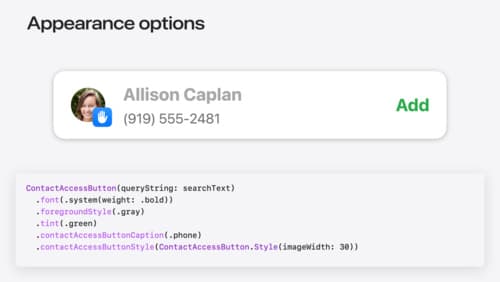
Meet the Contact Access Button
Learn about the new Contacts authorization modes and how to improve Contacts access in your app. Discover how to integrate the Contact Access Button into your app to share additional contacts on demand and provide an easier path to Contacts authorization. We’ll also cover Contacts security features and an alternative API to be used if the button isn’t appropriate for your app.
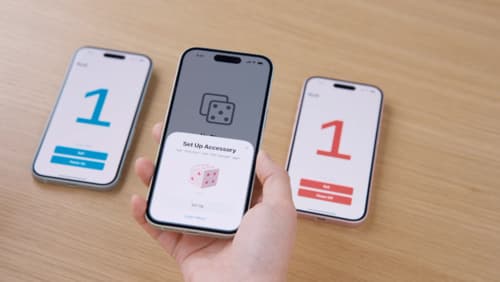
Meet AccessorySetupKit
Elevate your accessory setup experience with AccessorySetupKit. Display a beautiful pairing dialog with an image of your Bluetooth or Wi-Fi accessory — no trip to the Settings app required. Discover how to improve privacy by pairing only your app with an accessory. And learn how you can migrate existing accessories so they can be managed by AccessorySetupKit.
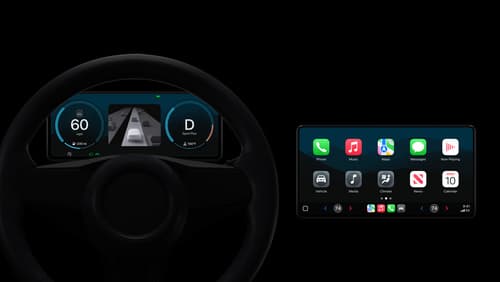
Meet the next generation of CarPlay architecture
Dive into the architecture for the next generation of CarPlay. Learn how your vehicle system works with iPhone to create a single cohesive experience that showcases the best of your car and iPhone. Learn how UI is rendered and composited, and explore ways to configure and customize a special experience for each vehicle model. This session is intended for automakers and system developers interested in the next generation of CarPlay.