How can I get started building a simple app that loops video?
Asked on 2024-07-30
1 search

To get started building a simple app that loops video, you can leverage the AVFoundation framework, which is designed to handle video playback and recording. Here are some steps and resources to help you:
-
Set Up Your Project:
- Create a new SwiftUI project in Xcode.
- Import the necessary frameworks, such as AVFoundation.
-
Create a Video Player:
- Use
AVPlayerandAVPlayerViewControllerto handle video playback. - Set up the player to loop the video by observing the end of the playback and restarting it.
- Use
-
Sample Code:
import SwiftUI import AVKit struct VideoPlayerView: View { private let player: AVPlayer init(videoURL: URL) { self.player = AVPlayer(url: videoURL) NotificationCenter.default.addObserver(forName: .AVPlayerItemDidPlayToEndTime, object: player.currentItem, queue: .main) { _ in self.player.seek(to: .zero) self.player.play() } } var body: some View { VideoPlayer(player: player) .onAppear { player.play() } .onDisappear { player.pause() } } } struct ContentView: View { var body: some View { VideoPlayerView(videoURL: URL(string: "https://example.com/video.mp4")!) } } -
Resources and Sessions:
- For more details on using AVFoundation, you can refer to the session Build compelling spatial photo and video experiences.
- To understand more about customizing video playback and creating a user interface, check out the session Explore multiview video playback in visionOS.
By following these steps and utilizing the provided resources, you should be able to create a simple app that loops video.
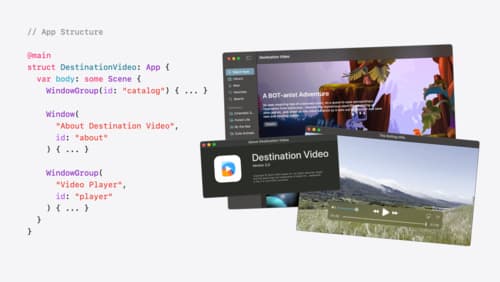
Tailor macOS windows with SwiftUI
Make your windows feel tailor-made for macOS. Fine-tune your app’s windows for focused purposes, ease of use, and to express functionality. Use SwiftUI to style window toolbars and backgrounds. Arrange your windows with precision, and make smart decisions about restoration and minimization.
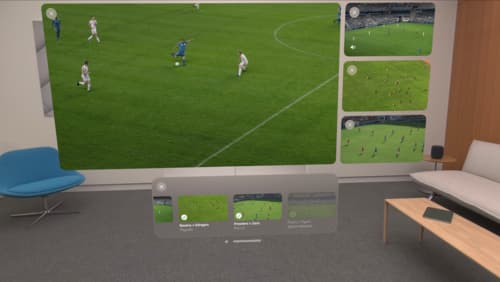
Explore multiview video playback in visionOS
Learn how AVExperienceController can enable playback of multiple videos on Apple Vision Pro. Review best practices for adoption and explore great use cases, like viewing a sports broadcast from different angles or watching multiple games simultaneously. And discover how to design a compelling and intuitive multiview experience in your app.
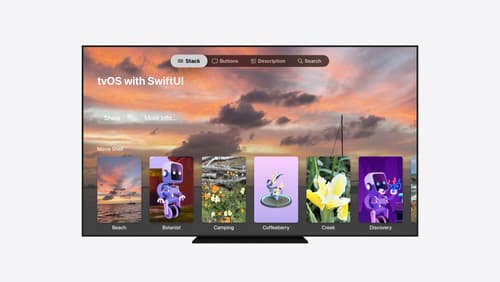
Migrate your TVML app to SwiftUI
SwiftUI helps you build great apps on all Apple platforms and is the preferred toolkit for bringing your content into the living room with tvOS 18. Learn how to use SwiftUI to create familiar layouts and controls from TVMLKit, and get tips and best practices.