what key things should i know about designing for visionOS
Asked on 2024-07-30
1 search

When designing for visionOS, there are several key aspects to consider to create great experiences:
-
Intentional Design:
- The core idea of your app or game should be intentional and built specifically for the platform. This means leveraging the unique capabilities of visionOS to create experiences that are not just functional but also delightful and immersive. (Design great visionOS apps)
-
Embrace Immersion:
- VisionOS is designed with people at the center of the experience to ensure interactions are comfortable. Apps should aim to create immersive experiences that feel natural and engaging. For example, the mindfulness app uses a gently pulsing flower to encourage breathing and focus, creating a sense of life in the scene. (Design great visionOS apps)
-
Comfortable Interactions:
- Interactions should be designed to be comfortable and intuitive. VisionOS automatically positions windows and volumes in space when they first open, and the origin of immersive content defaults to the user's head position. Custom placements can be designed to enhance the user experience. (Design interactive experiences for visionOS)
-
Attention to Detail:
- High-quality apps achieve a high bar of quality with extraordinary attention to detail. This includes refining and enhancing the user experience to surface more information and add nuance to the data displayed. (Design great visionOS apps)
-
Utilize Existing Frameworks:
- VisionOS is built on the foundation of macOS, iOS, and iPadOS, and many of the tools and frameworks are common across these platforms. SwiftUI, RealityKit, and ARKit are core to developing spatial apps for visionOS. If your app already uses these frameworks, you are well on your way to creating a great spatial computing app. (Platforms State of the Union)
-
Resources and Guidelines:
- Apple's Human Interface Guidelines are a valuable resource for the latest best practices. Design resources like Figma and Sketch kits can expedite prototyping with extensive libraries of native components. (Design great visionOS apps)
-
Guest User Support:
- VisionOS includes a feature called Guest User, which allows others to set up and try out Apple Vision Pro while preserving the owner's data and privacy. This is particularly useful for creating experiences that can be shared safely. (Get started with HealthKit in visionOS)
By focusing on these key aspects, you can design apps that fully leverage the capabilities of visionOS and provide exceptional user experiences.
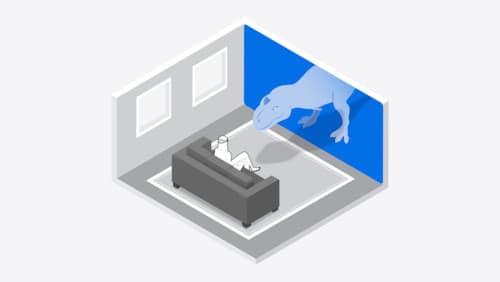
Design interactive experiences for visionOS
Learn how you can design a compelling interactive narrative experience for Apple Vision Pro from the designers of Encounter Dinosaurs. Discover how these types of experiences differ from existing apps, media, and games, and explore how to design narratives that bring audiences into new worlds. Find out how you can create stories that adapt to any space and size, provide multiple levels of interaction to make them accessible to all, and use animation, spatial audio, and custom gestures to further immerse people in your experience.
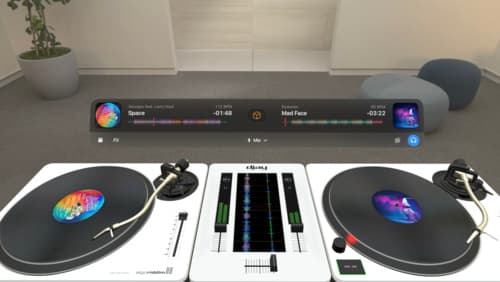
Design great visionOS apps
Find out how to create compelling spatial computing apps by embracing immersion, designing for eyes and hands, and taking advantage of depth, scale, and space. We’ll share several examples of great visionOS apps and explore how their designers approached creating new experiences for the platform.
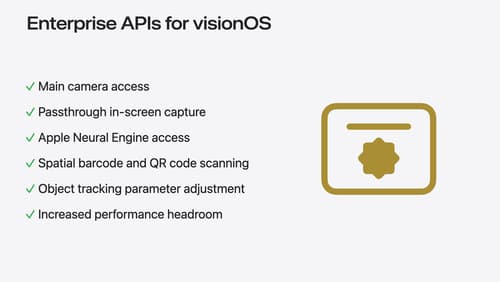
Introducing enterprise APIs for visionOS
Find out how you can use new enterprise APIs for visionOS to create spatial experiences that enhance employee and customer productivity on Apple Vision Pro.