HomeView doc
Asked on 2026-10-15
1 search

HomeView is not documented explicitly in the retrieved WWDC context.
If you mean the home view shown in Migrate your TVML app to SwiftUI, the session describes it as:
- a starting page assembled from SwiftUI views
- built with a section view for each shelf
- featuring a wide background image that fills the edges of the screen
- using an outer scroll view with the background attached to it
- requiring the image to be resizable and to ignore the safe area so it reaches the screen edges
If you want, I can also summarize the exact SwiftUI structure they used for that home view.
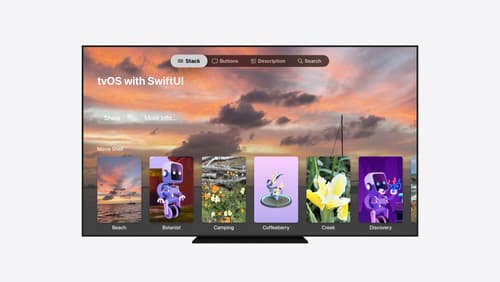
Migrate your TVML app to SwiftUI
SwiftUI helps you build great apps on all Apple platforms and is the preferred toolkit for bringing your content into the living room with tvOS 18. Learn how to use SwiftUI to create familiar layouts and controls from TVMLKit, and get tips and best practices.

Discover the Spatial Preview framework
Check out how the new Spatial Preview framework brings content from your Mac directly into visionOS. Discover how to build dynamic workflows with live-syncing and bidirectional editing across both platforms. Learn about the SpatialPreview API, device discovery, 2D and 3D session integration, and new Quick Look capabilities to elevate your Mac apps spatially.

What’s new in SwiftUI
Explore the latest additions to SwiftUI and discover how they can improve your apps. We’ll introduce a new Document protocol with direct disk access and snapshot-based diffing for building high-performance apps; new APIs for reordering content in lists, grids, and sections; and toolbar enhancements including visibility priority and auto-minimizing behavior. We’ll also cover expanded presentation APIs — including swipe actions on any view — plus AsyncImage caching improvements and lazy state initialization for Observable types.