How do I implement foundation models in my app?
Asked on 2026-10-08
1 search

To implement Foundation Models in your app, the basic flow is:
- Import the framework
- Create a language model session
- Send a prompt to the model
- Optionally add:
- Structured output with
Generable - Streaming responses
- Tool calling for app actions
- Stateful sessions for multi-turn interactions
- Structured output with
Apple showed that the simplest version is basically “three lines of code”: import the framework, create a session, and call respond with your prompt.
What you can build with it
- Text generation
- Summarization
- Text extraction and analysis
- Structured outputs
- Tool-using agents
- Personalized app experiences
Important notes
- It runs on device in Apple’s framework, so it’s private and can work offline.
- The framework is built into the OS, so it doesn’t increase app size.
- You can also use newer capabilities like guided generation and tool calling to make the model more useful in your app.
Good WWDC sessions to start with
- Meet the Foundation Models framework
- Deep dive into the Foundation Models framework
- Code-along: Bring on-device AI to your app using the Foundation Models framework
If you want, I can also give you a minimal Swift example of using a Foundation Models session in your app.

Platforms State of the Union
Discover the newest advancements on Apple platforms.

Bring an LLM provider to the Foundation Models framework
Extend the Foundation Models framework by implementing a LanguageModelExecutor for new models. Explore how to interface with the LanguageModelSession’s transcript, manage session state effectively, and optimize KV cache utilization. Find out how to support custom segment types and unlock advanced capabilities for your generative AI features.
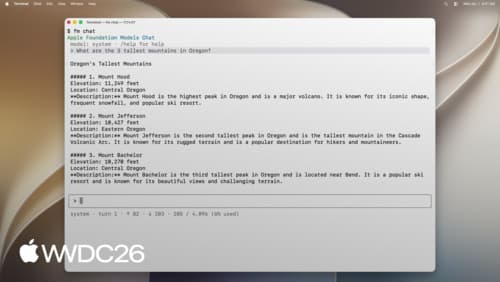
Build AI-powered scripts with the fm CLI and Python SDK
Explore all the new ways to leverage Apple Foundation Models on macOS. The Foundation Models SDK for Python lets you integrate with popular tooling and evaluation packages in the Python ecosystem. Find out how to use the brand new fm command introduced in macOS 27 to streamline scripting, automate model workflows, and accelerate your development process.