How to pick a photo from photo library
Asked on 2026-03-01
1 search

To pick a photo from the photo library, you can use the Photos picker, which is part of the Photos UI framework. This picker allows users to select photos without granting your app access to their entire photo library, enhancing privacy. The picker is rendered out of process, meaning your app only receives the photos the user selects, and no permission prompt is shown. This feature is available across multiple platforms, including macOS and Vision OS.
For more detailed implementation, you can refer to the session Integrate privacy into your development process, which discusses embedding the Photos picker in your app and customizing its appearance. Additionally, the session Code-along: Elevate an app with Swift concurrency provides a code-along example of asynchronously loading photos from the photo library using Swift concurrency.

Code-along: Elevate an app with Swift concurrency
Learn how to optimize your app’s user experience with Swift concurrency as we update an existing sample app. We’ll start with a main-actor app, then gradually introduce asynchronous code as we need to. We’ll use tasks to optimize code running on the main actor, and discover how to parallelize code by offloading work to the background. We’ll explore what data-race safety provides, and work through interpreting and fixing data-race safety errors. Finally, we’ll show how you can make the most out of structured concurrency in the context of an app.

Integrate privacy into your development process
Learn how to build privacy into your apps from the planning stages through deployment. We’ll cover practical ways to integrate privacy at each step of the development lifecycle, focusing on data minimization, on-device processing, and transparency and control. You’ll discover how to use Apple’s tools and frameworks to protect user data and create a privacy-respecting app experience.
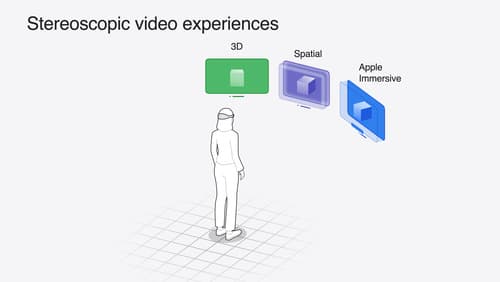
Build compelling spatial photo and video experiences
Learn how to adopt spatial photos and videos in your apps. Explore the different types of stereoscopic media and find out how to capture spatial videos in your iOS app on iPhone 15 Pro. Discover the various ways to detect and present spatial media, including the new QuickLook Preview Application API in visionOS. And take a deep dive into the metadata and stereo concepts that make a photo or video spatial.