I am trying to make a concise description of the capabilities of the models you can use with Shortcuts on OS 27. What do I include?
Asked on 2026-08-18
1 search

For a concise description, include that the models available in Shortcuts on OS 27 can:
- Work with content from your apps
- Reason over that content to make selections or decisions
- Use up-to-date information from the web when available
- Handle both simple and complex requests
- Run on-device for private, offline-capable tasks
- Use larger server-based models for more complex workflows
- Optionally use ChatGPT for broader world knowledge and expertise
If you want an even shorter version, you could say:
Shortcuts supports on-device and server-based intelligence models that can reason over app content, use web data when available, and handle both simple and complex tasks; ChatGPT is also available for broader knowledge.
If you'd like, I can also turn that into:
- a marketing-style sentence
- a developer-facing description
- or a one-line App Store-style summary

What’s new in Shortcuts
Explore techniques to build powerful shortcuts using your app’s content. New automations unlock additional ways to integrate your app with the system. Refine how your App Entity is presented to LLMs using the new “Use Model” transcript feature. Store rich information from your app inside shortcuts that is synced across devices. Learn how to combine these features to create intelligent, powerful automations that integrate seamlessly with content and features from your app.
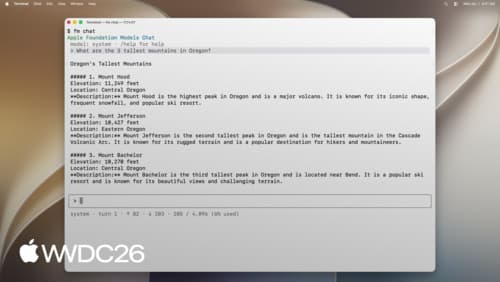
Build AI-powered scripts with the fm CLI and Python SDK
Explore all the new ways to leverage Apple Foundation Models on macOS. The Foundation Models SDK for Python lets you integrate with popular tooling and evaluation packages in the Python ecosystem. Find out how to use the brand new fm command introduced in macOS 27 to streamline scripting, automate model workflows, and accelerate your development process.
Develop for Shortcuts and Spotlight with App Intents
Learn about how building App Intents that make actions available and work best with the new features in Shortcuts and Spotlight on Mac. We’ll show you how your actions combine in powerful ways with the new Apple Intelligence actions available in the Shortcuts app. We’ll deep-dive into how the new “Use Model” action works, and how it interacts with your app’s entities. And we’ll discuss how to use the App Intents APIs to make your actions available in Spotlight.