In the new now playing framework how should push notifications be configured
Asked on 2026-06-16
1 search

In Meet the Now Playing framework, push notifications for remote media sessions should be configured as part of the app extension-based Remote Media Sessions API:
- Your server sends updates through Apple Push Notification service (APNs).
- The push notification payload carries the updated remote session state.
- The system uses that push to launch the app extension and pass in the updated state.
- Your app extension then updates the session representation shown in Now Playing.
The key setup shown in the session is:
- Create an app extension conforming to
RemoteMediaSessionExtension - Use the
NowPlayingRemoteMediaSessionExtensionconfiguration - Ensure your server is set up to send APNs pushes for state changes
So, in short: configure the extension for remote media sessions, and have your server send APNs notifications containing the updated state.
Meet the Now Playing framework
Get a first look at Now Playing — a Swift framework that connects your app’s media playback to system surfaces like the Lock Screen, Control Center, Dynamic Island, and CarPlay. Discover how to publish playback state and respond to commands using its observable API. Explore remote playback sessions, a new capability that lets your app represent media playing on external devices and bring full playback controls to those same system surfaces.
What’s new in widgets
WidgetKit elevates your app with updates to widgets, Live Activities, and controls. Learn how to bring your widgets to visionOS, take them on the road with CarPlay, and make them look their best with accented rendering modes. Plus, find out how relevant widgets can be surfaced in the Smart Stack on watchOS, and discover how push notifications can be used to keep your widgets up to date.
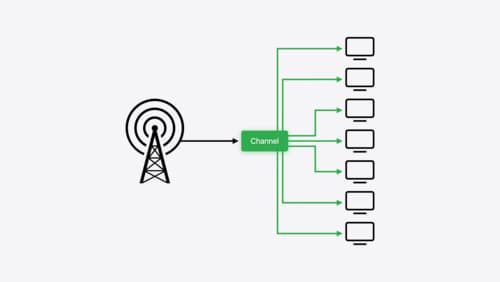
Broadcast updates to your Live Activities
With broadcast push notifications, your app can send updates to thousands of Live Activities with a single request. We’ll discover how broadcast push notifications work between an app, a server, and the Apple Push Notification service, then we’ll walk through best practices for this capability and how to implement it.