Menu {
Asked on 2025-11-19
1 search

The content from the WWDC sessions provides insights into various aspects of menu design and functionality across Apple's platforms. Here are some key points:
-
iPad App Design: In the session "Elevate the design of your iPad app," it is suggested to organize menu actions by frequency of use rather than alphabetically, and to group related actions into sections. This helps create a well-organized custom menu that users can easily navigate. Additionally, the View menu should be populated with useful actions, such as tab switching and navigation toggles, to enhance user experience. Elevate the design of your iPad app (10:24).
-
UIKit Enhancements: The session "What’s new in UIKit" introduces new APIs for building better menu bars in iOS 26. This includes the ability to customize system commands in the main menu and the introduction of a new item menu for actions like text alignment and sidebar toggling. The menu bar from macOS is also brought to iPad, providing quick access to app functionality even without a hardware keyboard. What’s new in UIKit (03:21).
-
SwiftUI and AppKit Integration: In "What’s new in AppKit," there is a focus on integrating SwiftUI menus with AppKit, allowing for shared menu definitions between different parts of an app. This integration is facilitated by the new
NSHostingMenu, which allows SwiftUI views to be used in AppKit contexts. What’s new in AppKit (06:41). -
Design System Updates: The session "Get to know the new design system" highlights the importance of consistent behavior across components like tab bars and sidebars, ensuring that menus provide a cohesive user experience across different platforms. Get to know the new design system (13:34).
These sessions collectively emphasize the importance of thoughtful menu design and the integration of new features to enhance user interaction across Apple's ecosystem.
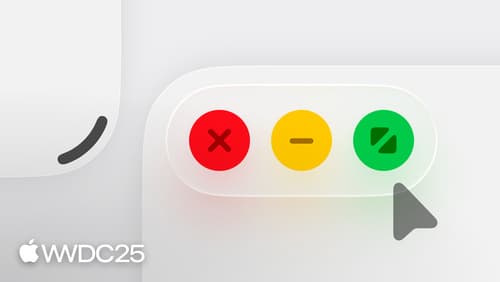
Elevate the design of your iPad app
Make your app look and feel great on iPadOS. Learn best practices for designing a responsive layout for resizable app windows. Get familiar with window controls and explore the best ways to accommodate them. Discover the building blocks of a great menu bar. And meet the new pointer and its updated effects.

What’s new in UIKit
Modernize your app with the latest APIs in UIKit, including enhanced menu bar support, automatic observation tracking, a new UI update method, and improvements to animations. We’ll also cover how you can include SwiftUI scenes in your UIKit app and explore SF Symbols, HDR color pickers, and more.

Build a SwiftUI app with the new design
Explore the ways Liquid Glass transforms the look and feel of your app. Discover how this stunning new material enhances toolbars, controls, and app structures across platforms, providing delightful interactions and seamlessly integrating your app with the system. Learn how to adopt new APIs that can help you make the most of Liquid Glass.