new modifier gradient
Asked on 2026-08-12
1 search

If you mean the new gradient modifier in SF Symbols 7, Apple introduced gradient rendering for symbols in What’s new in SF Symbols 7.
What it does
- Sets a symbol’s color rendering mode to gradient
- Works in SwiftUI with a view modifier
- Also available through symbol configuration in UIKit and AppKit
- The gradient is generated from a single source color
- It works with both system and custom colors
- It applies across all rendering modes
Example usage
In SwiftUI, you can use the new gradient rendering mode modifier on a symbol to get the gradient treatment.
If you want, I can also point you to the Gradients section of What’s new in SF Symbols 7 or explain how it compares to SF Symbols 6.

What’s new in SF Symbols 7
Explore the latest updates to SF Symbols, Apple’s library of iconography. Meet Draw, a new animation system that allows symbols to imitate the organic flow of a handwritten stroke, and Variable Draw, which can be used to convey strength or progress. Discover Gradients, which add dimension and visual interest to symbols, and Magic Replace enhancements, which offer greater continuity between related symbols. And learn how to preview and integrate these features into your own apps.

What’s new in widgets
WidgetKit elevates your app with updates to widgets, Live Activities, and controls. Learn how to bring your widgets to visionOS, take them on the road with CarPlay, and make them look their best with accented rendering modes. Plus, find out how relevant widgets can be surfaced in the Smart Stack on watchOS, and discover how push notifications can be used to keep your widgets up to date.
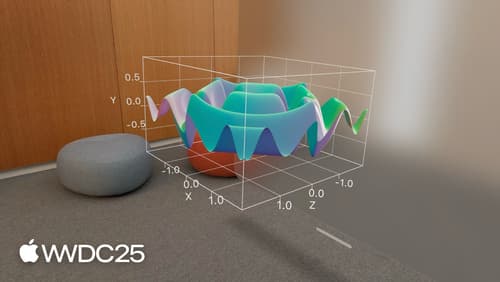
Bring Swift Charts to the third dimension
Learn how to bring your 2D Swift Charts to the third dimension with Chart3D and visualize your data sets from completely new perspectives. Plot your data in 3D, visualize mathematical surfaces, and customize everything from the camera to the materials to make your 3D charts more intuitive and delightful. To get the most out of this session, we recommend being familiar with creating 2D Swift Charts.