Summarize the newest Live Translation features on AirPods
Asked on 2026-02-10
1 search

At WWDC, Apple introduced new Live Translation features that enhance communication across languages using Apple Intelligence. These features are integrated into Messages, FaceTime, and phone calls, allowing for real-time translation of conversations. The translations are powered by Apple-built models that run entirely on the device, ensuring privacy and security.
- In Messages, Live Translation can automatically translate text as you type, delivering it in the recipient's preferred language. Responses are also instantly translated for you.
- During FaceTime calls, you can follow along with translated live captions while still hearing the original voice.
- On phone calls, your words are translated as you speak, and the translation is spoken out loud for the call recipient. This feature works even if the person you're calling does not have an iPhone.
These features make it easier to communicate across language barriers, whether you're traveling, working, or staying connected with loved ones.
Keynote
Don’t miss the exciting reveal of the latest Apple software and technologies.
Meet the Translation API
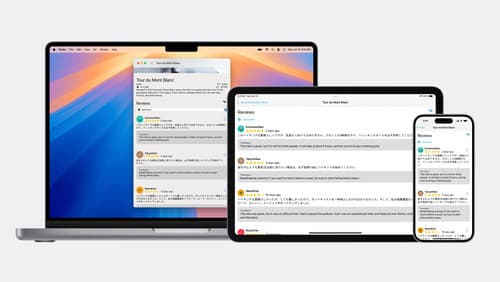
Discover how you can translate text across different languages in your app using the new Translation framework. We’ll show you how to quickly display translations in the system UI, and how to translate larger batches of text for your app’s UI.
Bring advanced speech-to-text to your app with SpeechAnalyzer
Discover the new SpeechAnalyzer API for speech to text. We’ll learn about the Swift API and its capabilities, which power features in Notes, Voice Memos, Journal, and more. We’ll dive into details about how speech to text works and how SpeechAnalyzer and SpeechTranscriber can enable you to create exciting, performant features. And you’ll learn how to incorporate SpeechAnalyzer and live transcription into your app with a code-along.