Summarize the newest Translation features
Asked on 2026-02-10
1 search

At WWDC, Apple introduced several new features related to translation, primarily through the "Meet the Translation API" session. Here are the key highlights:
-
Translation API: Apple has introduced new APIs that leverage machine learning models to provide translation capabilities within apps. These APIs are supported on iOS, iPadOS, and macOS, allowing developers to integrate translation features seamlessly into their applications.
-
Language Support: The Translation API now supports all languages available in the Translate app, with the addition of Hindi this year. Developers can use the new language availability class to check which languages are supported and whether translation between specific language pairs is possible.
-
On-Device Translation: The translation session performs translations using on-device machine learning models. These models are shared across all apps on the system, including the Translate app. If a language is not already downloaded, the API will handle the download process, showing progress to the user and continuing in the background if necessary.
-
Translation Presentation: A simple API allows developers to show a translation overlay with just one line of SwiftUI code. This feature provides a system UI translation of text into the user's language, making it easy to integrate into apps.
-
Flexible Translation API: For more complex use cases, a flexible text translation API is available. This allows developers to perform batch translations and integrate the results into their app's UI.
-
Live Translation: As mentioned in the Keynote, Live Translation can translate conversations in real-time, integrated into Messages, FaceTime, and phone calls. This feature uses Apple-built models that run entirely on-device, ensuring privacy.
For more detailed information, you can refer to the session Meet the Translation API (02:10) for simple overlay translation and Meet the Translation API (04:01) for flexible translation.
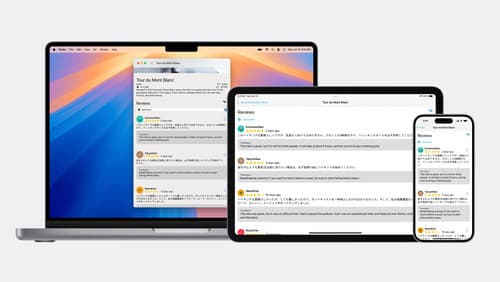
Meet the Translation API
Discover how you can translate text across different languages in your app using the new Translation framework. We’ll show you how to quickly display translations in the system UI, and how to translate larger batches of text for your app’s UI.
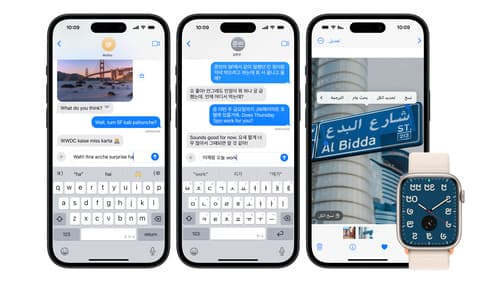
Build multilingual-ready apps
Ensure your app works properly and effectively for multilingual users. Learn best practices for text input, display, search, and formatting. Get details on typing in multiple languages without switching between keyboards. And find out how the latest advances in the String Catalog can make localization even easier.
Keynote
Don’t miss the exciting reveal of the latest Apple software and technologies.