Talking about Create high-quality images using Image Playground, what styles can be used / available, how it works with concepts from my app?
Asked on 2026-08-12
1 search

In Create high quality images using Image Playground, the available styles are:
- illustration
- sketch
- animation
- emoji
The session also mentions:
- external provider as an opt-in style, which shows up if the user has configured a third-party provider in Settings
- support for “any style” via natural-language prompting, including styles like oil painting or vector
- the keynote also noted photorealistic image generation
How it works with concepts from your app
You can seed Image Playground with concepts from your app so the generated image starts with relevant context instead of a blank slate.
Examples from the session:
- A card can carry a style preset that maps to the style options
- You can pass size, style, and personalization through
ImagePlaygroundOptionsandImagePlaygroundStyle - Concepts act as visual inspiration, not a constraint — the user can still replace or refine them in the sheet
- A drawing from your app can be passed as a concept, and the model treats it as a visual suggestion guiding composition
- The sheet can also be seeded with context from your app for a richer initial experience
So in practice, your app provides the story/context/concepts, and Image Playground handles the generation and lets the user refine the result.

Create high quality images using Image Playground
Enable high-quality image creation in your app using Image Playground. With a new generative model that runs on Private Cloud Compute, users can make images in virtually any style, including photorealistic, in your app. You can also specify dimensions for use in even more places, and allow people to modify images using natural language descriptions and touch. Explore how to adopt Image Playground, generate images from descriptions and photos, and manage feature availability in your app.

Keynote
Don’t miss the exciting reveal of the latest Apple software and technologies.
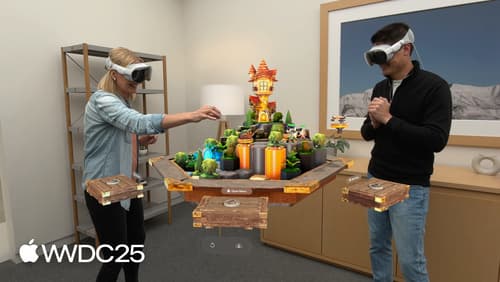
What’s new in visionOS 26
Explore exciting new features in visionOS 26. Discover enhanced volumetric APIs and learn how you can combine the power of SwiftUI, RealityKit and ARKit. Find out how you can build more engaging apps and games using faster hand tracking and input from spatial accessories. Get a sneak peek at updates to SharePlay, Compositor Services, immersive media, spatial web, Enterprise APIs, and much more.