textfield suggestions?
Asked on 2026-07-06
1 search

If you mean text field suggestions on Apple platforms, WWDC 2024 covered this in What’s new in AppKit and What’s new in SwiftUI.
AppKit
- In macOS Sequoia, you can provide custom suggestions as people type in a system-standard suggestions menu.
- It works on any
NSTextField, including subclasses likeNSSearchField. - You enable it by setting the text field’s
suggestionsDelegate. - The delegate can return suggestions synchronously or asynchronously.
- It can also customize text completions on highlight and selection.
SwiftUI
- SwiftUI also added support to add text suggestions to any text field.
- Suggested completions appear in a dropdown menu.
- Picking one updates the text field with the selected completion.
Design tips mentioned
- Keep suggestions relevant to what’s being typed.
- Make them consistent and predictable.
- If you provide asynchronous suggestions, put them after immediate suggestions.
- Keep the list simple and focused on the most important results.
If you want, I can also point you to the specific WWDC session or summarize the API differences between AppKit and SwiftUI.
What’s new in AppKit
Discover the latest advances in Mac app development. Get an overview of the new features in macOS Sequoia, and how to adopt them in your app. Explore new ways to integrate your existing code with SwiftUI. Learn about the improvements made to numerous AppKit controls, like toolbars, menus, text input, and more.
What’s new in SwiftUI
Learn how you can use SwiftUI to build great apps for any Apple platform. Explore a fresh new look and feel for tabs and documents on iPadOS. Improve your window management with new windowing APIs, and gain more control over immersive spaces and volumes in your visionOS apps. We’ll also take you through other exciting refinements that help you make expressive charts, customize and layout text, and so much more.
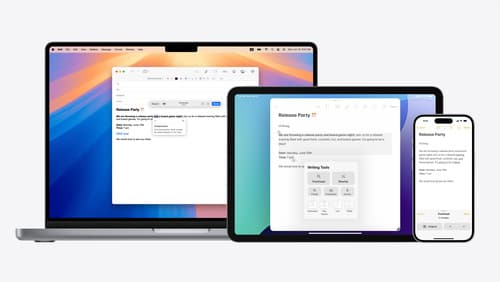
Get started with Writing Tools
Learn how Writing Tools help users proofread, rewrite, and transform text in your app. Get the details on how Writing Tools interact with your app so users can refine what they have written in any text view. Understand how text is retrieved and processed, and how to support Writing Tools in custom text views.