uitextview
Asked on 2026-06-30
1 search

UITextView is Apple’s built-in UIKit text view for rich text editing and display.
From the WWDC sessions in the context:
-
In Enhance the accessibility of your reading app, Apple says
UITextViewon iOS gives you a rich text experience out of the box, including accessibility features like:- line, word, and character navigation with VoiceOver
- Speak Screen support
- accessible text selection
-
In What’s new in UIKit, Apple notes that
UITextViewalso gets new writing tools behavior by default, including:- full inline editing, proofreading, and composition support for editable text views
- an overlay panel for non-editable text views
-
In Elevate your app’s text experience with TextKit, Apple recommends
UITextViewas the convenient starting point if you want a powerful rich text editor experience, and says you can extend it with TextKit hooks for custom behavior.
If you want, I can also explain UITextView in terms of:
- accessibility
- writing tools
- TextKit customization
- how it compares with SwiftUI
TextEditor

Enhance the accessibility of your reading app
Learn how to create robust reading experiences for VoiceOver, Speak Screen, and more. Find out how to provide intuitive text selection, clear navigation between lines and paragraphs, and continuous reading across individual elements and multiple pages.
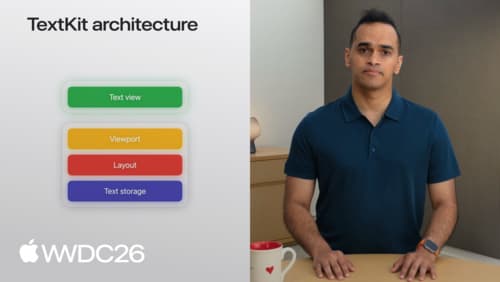
Elevate your app’s text experience with TextKit
Discover how to combine the convenience of built-in text views with the control of TextKit. We’ll show you how new APIs make it easy to extend UITextView and NSTextView with custom behaviors like line numbers and collapsible sections. We’ll also explore the TextKit architecture and walk through new caching and reuse policies for text attachments. To get the most out of this session, watch “Meet TextKit 2” from WWDC21 and “What’s New in TextKit and text views” from WWDC22.
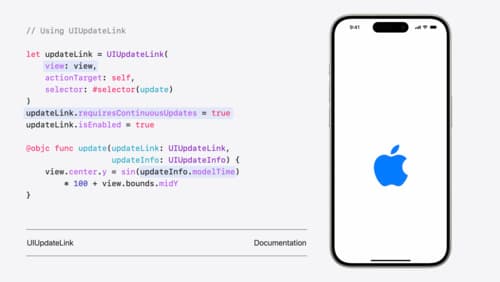
What’s new in UIKit
Explore everything new in UIKit, including tab and document launch experiences, transitions, and text and input changes. We’ll also discuss better-than-ever interoperability between UIKit and SwiftUI animations and gestures, as well as general improvements throughout UIKit.