usar intents para abrir tu app
Asked on 2025-11-20
1 search

Para abrir tu aplicación usando App Intents, puedes diseñar tus intenciones para que abran la aplicación cuando sea necesario. En iOS 18, abrir la aplicación se ha convertido en un comportamiento común para mostrar a los usuarios que la intención ha realizado un cambio en la aplicación. Hay dos formas principales en las que tu aplicación puede abrirse como parte de una intención:
-
Función inherente de la intención: Si la intención de tu aplicación está diseñada para abrir una vista particular, como un cronómetro en una aplicación de reloj, deberías conformar tu intención a
open intentpara que abra la aplicación a esa vista específica. -
Cambio en la interfaz de usuario o resultados de búsqueda: Si la intención completa con un cambio en la interfaz de usuario de la aplicación o muestra resultados de búsqueda, como crear un nuevo tablero en una aplicación de notas, debería terminar abriendo la aplicación para mostrar el cambio realizado.
Además, puedes configurar tus intenciones para que se ejecuten en primer plano usando la propiedad Supported Modes para abrir la aplicación antes de que la intención se ejecute. Esto es útil para intenciones que navegan a diferentes vistas dentro de la aplicación.
Para más detalles sobre cómo estructurar y diseñar App Intents, puedes consultar las sesiones de WWDC como Design App Intents for system experiences y Bring your app’s core features to users with App Intents.
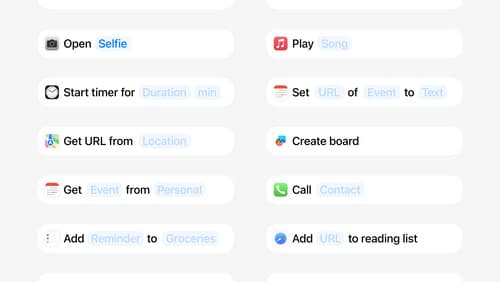
Design App Intents for system experiences
App Intents power system experiences in controls, Spotlight, Siri, and more. Find out how to identify the functionality that’s best for App Intents, and how to use parameters to make these intents flexible. Learn how to use App Intents to allow people to take action outside your app, and see examples of when to navigate into your app to show contextual information.
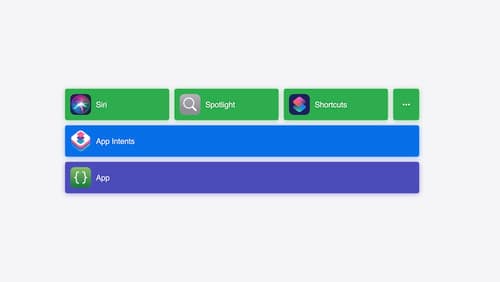
Bring your app’s core features to users with App Intents
Learn the principles of the App Intents framework, like intents, entities, and queries, and how you can harness them to expose your app’s most important functionality right where people need it most. Find out how to build deep integration between your app and the many system features built on top of App Intents, including Siri, controls and widgets, Apple Pencil, Shortcuts, the Action button, and more. Get tips on how to build your App Intents integrations efficiently to create the best experiences in every surface while still sharing code and core functionality.
Get to know App Intents
Learn about the App Intents framework and its increasingly critical role within Apple’s developer platforms. We’ll take you through a ground-up introduction of the core concepts: intents, entities, queries, and much more. You’ll learn how these pieces fit together and let you integrate your app through Apple’s devices, from software features like Spotlight and Shortcuts to hardware features like the Action button. We’ll also walk through how App Intents is your app’s gateway to integrating with Apple Intelligence going forward.