view controller Child controller view
Asked on 2025-12-11
1 search

To manage child view controllers in a UIKit app, you can use container view controllers. These are essential for building flexible applications. A container view controller is responsible for managing the layout of one or more child view controllers. UIKit provides several container view controllers, such as UISplitViewController and UITabBarController, which are designed to be flexible and adapt to different screen sizes and orientations.
For example, the UISplitViewController manages the display of multiple adjacent columns of content and can adapt by collapsing its columns into a navigation stack when horizontal space is limited. It also supports features like interactive column resizing and inspector columns for additional details.
To learn more about container view controllers and how they can make your UIKit app more flexible, you can refer to the session Make your UIKit app more flexible (04:58).

Make your UIKit app more flexible
Find out how your UIKit app can become more flexible on iPhone, iPad, Mac, and Apple Vision Pro by using scenes and container view controllers. Learn to unlock your app’s full potential by transitioning from an app-centric to a scene-based lifecycle, including enhanced window resizing and improved multitasking. Explore enhancements to UISplitViewController, such as interactive column resizing and first-class support for inspector columns. And make your views and controls more adaptive by adopting new layout APIs.
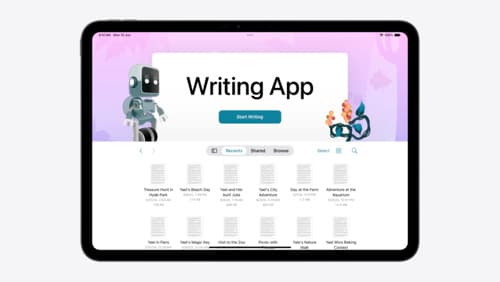
Evolve your document launch experience
Make your document-based app stand out, and bring its unique identity into focus with the new document launch experience. Learn how to leverage the new API to customize the first screen people see when they launch your app. Utilize the new system-provided design, and amend it with custom actions, delightful decorative views, and impressive animations.
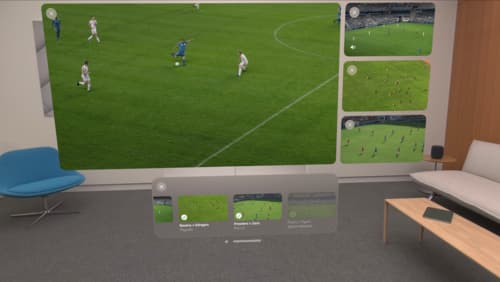
Explore multiview video playback in visionOS
Learn how AVExperienceController can enable playback of multiple videos on Apple Vision Pro. Review best practices for adoption and explore great use cases, like viewing a sports broadcast from different angles or watching multiple games simultaneously. And discover how to design a compelling and intuitive multiview experience in your app.