What are best swiftUI practices
Asked on 2026-06-12
1 search

Here are the best SwiftUI practices highlighted across the WWDC sessions in your context:
Core best practices
-
Keep view bodies fast
- SwiftUI needs to evaluate view bodies quickly so the UI can appear without delay.
- Avoid expensive work in
body.
-
Update views only when necessary
- Design your data flow so changes only invalidate the views that truly depend on them.
- Be especially careful with data that changes very frequently.
-
Use the SwiftUI instrument early and often
- Instruments can help you spot unnecessary updates and diagnose long view body work.
-
Lean into SwiftUI’s declarative structure
- Describe what the UI should look like, not how to update it over time.
- Use composition freely; breaking views into smaller pieces does not hurt performance.
-
Use state-driven data flow
- Let SwiftUI track state changes and refresh the UI automatically.
- Keep your model and view dependencies clear so updates stay targeted.
-
Take advantage of built-in adaptivity
- SwiftUI already handles things like dark mode, Dynamic Type, localization, and accessibility in many cases.
- Prefer system components and modifiers when possible.
-
Use previews while developing
- Xcode previews help you see how views behave in different contexts without constantly running the app.
More advanced SwiftUI guidance
-
Use lazy stacks carefully
- Avoid relying on unstable measurements like absolute content size or content offset.
- Don’t conditionally hide/filter data in leaf views in a way that keeps views alive longer than expected.
- Set up subviews before
onAppearwhen you can, to help prefetching work well. - Avoid changing subview layout after they appear if it can disrupt scroll position.
-
Use platform-idiomatic APIs
- SwiftUI is meant to feel native on each Apple platform.
- Adopt platform-specific capabilities incrementally rather than forcing one design everywhere.
-
Adopt incrementally in existing apps
- You do not need to rewrite an app entirely in SwiftUI.
- It’s fine to mix SwiftUI with UIKit/AppKit as needed.
Short version
Best SwiftUI practice:
Keep views declarative, compositional, and state-driven; minimize unnecessary updates; keep
bodywork light; and verify performance with Instruments.
If you want, I can also turn this into:
- a checklist
- a SwiftUI performance guide
- or best practices specifically for lists / scrolling / lazy stacks
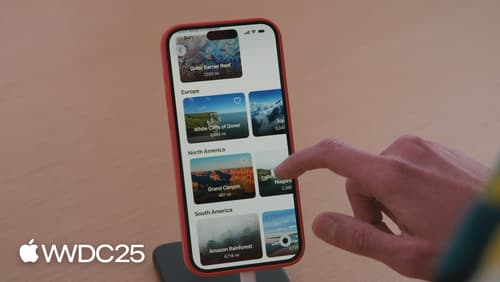
Optimize SwiftUI performance with Instruments
Discover the new SwiftUI instrument. We’ll cover how SwiftUI updates views, how changes in your app’s data affect those updates, and how the new instrument helps you visualize those causes and effects. To get the most out of this session, we recommend being familiar with writing apps in SwiftUI.
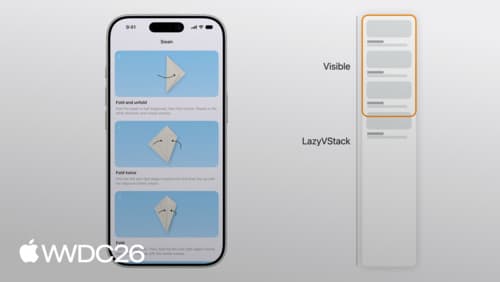
Dive into lazy stacks and scrolling with SwiftUI
Discover the inner workings of lazy stacks in SwiftUI. We’ll explore how LazyVStack and LazyHStack estimate sizes, lazily load subviews, and prefetch content to deliver smooth scrolling experiences. We’ll also cover advanced performance optimizations, state management best practices, and tips for precise programmatic scrolling. To get the most out of this session, we recommend basic familiarity with SwiftUI layout using stacks.

SwiftUI essentials
Join us on a tour of SwiftUI, Apple’s declarative user interface framework. Learn essential concepts for building apps in SwiftUI, like views, state variables, and layout. Discover the breadth of APIs for building fully featured experiences and crafting unique custom components. Whether you’re brand new to SwiftUI or an experienced developer, you’ll learn how to take advantage of what SwiftUI has to offer when building great apps.